Local coordinate system
In every node a node-coordinate system can be added.
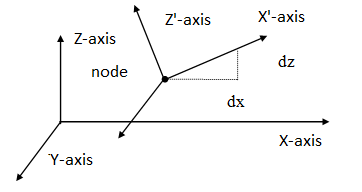
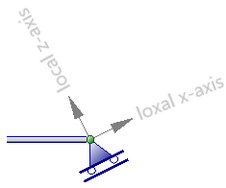
Example of a roller support among an angle.
The origin lies in the relevant node. The direction of the x-axis is determined by inserting an angle ( see the figure above). Local coordinate systems can be used to calculate node limitations ( support reactions and restrains ), node loads and/or node deformations in an arbitrary direction.
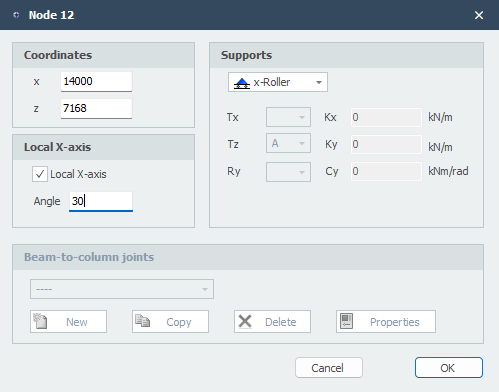
Local X-axis Angle
The angle of the local x-axis in degrees with the global x-axis. The direction opposite to the clockwise direction is positive.
 Take a look at the demo.
XFrame2d